Tech
Topic
January 17, 2024 · Video
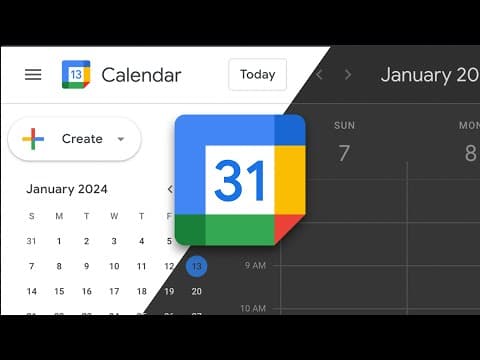
How to Add Dark Mode to Google Calendar (on the Web)
By default, there’s no dark mode in Google Calendar. In this super short tutorial, I’ll show you how to get dark mode on Google Calendar (for free). Get the extension: https://chromewebstore.google.com/detail/calendar-dark-mode/djohocjcheabcpjfaokeancojipglfbe Check out Radarist: https://radar.ist/free More Resources from Me: https://tubelinks.io/thomas My Favorite Mac Apps: https://tubelinks.io/thomas/c057e19 Video Gear I Use: https://tubelinks.io/thomas/41d8be5 Video Playlists: https://tubelinks.io/thomas/62b4936
Watch
May 24, 2023 · Video
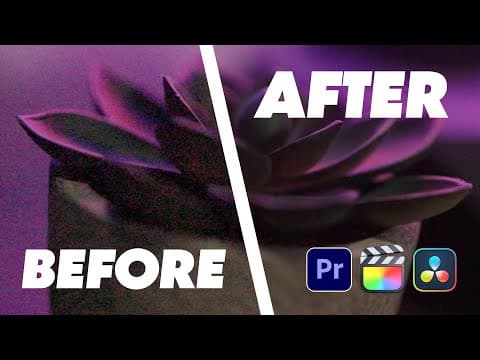
How to Remove Video Grain in Premiere Pro (and Other Editors)
In this video, I’ll show you (the best) tool that can help remove unwanted noise/grain from your videos. Links from this video: https://tubelinks.io/thomas/m8mvMJIOnWw/ 00:00 Introduction 03:11 The Demo 07:31 Conclusion More Resources from Me: https://tubelinks.io/thomas My Favorite Mac Apps: https://tubelinks.io/thomas/c057e19 Video Gear I Use: https://tubelinks.io/thomas/41d8be5 Video Playlists: https://tubelinks.io/thomas/62b4936
Watch
February 8, 2023 · Video
My New Favorite Note Taking App: Reflect
I’ve been using the app Bear for years and while it’s a great app for taking notes—there have always been a number of things that have bugged me about it. That said, I decided to give a new note taking app a try and so far, it has been amazing. Check out Reflect: https://reflect.app 00:00 - Introduction 06:16 - The Demo 20:27 - Conclusion More Resources from Me: https://tubelinks.io/thomas My Favorite Mac Apps: https://tubelinks.io/thomas/c057e19 Video Gear I Use: https://tubelinks.io/thomas/41d8be5 Video Playlists: https://tubelinks.io/thomas/62b4936 #notetaking #apps
Watch
December 14, 2022 · Video
Can an AI Write a WordPress Plugin?
As someone who makes things for WordPress (particularly plugins), an AI hasn’t really ever seemed useful—until now. In this video, I’ll help answer the question: can an AI write a custom WordPress plugin? Check out https://chat.openai.com/ 00:00 - Introduction 03:02 - The Demo 08:40 - Conclusion More Resources from Me: https://tubelinks.io/thomas My Favorite Mac Apps: https://tubelinks.io/thomas/c057e19 Video Gear I Use: https://tubelinks.io/thomas/41d8be5 Video Playlists: https://tubelinks.io/thomas/62b4936 #wordpressplugin
Watch

November 2, 2022 · Video
An Easy Way to Follow Up on Emails Using Hey
Following up on an Email you send is a pretty regular essential for most of us. The Email service Hey recently released a feature that makes this way easier than depending on your memory or todo list. Check out Hey! https://hey.com 00:00 - Introduction 02:23 - Just get to the demo already! 04:08 - Conclusion More Resources from Me: https://tubelinks.io/thomas My Favorite Mac Apps: https://tubelinks.io/thomas/c057e19 Video Gear I Use: https://tubelinks.io/thomas/41d8be5 Video Playlists: https://tubelinks.io/thomas/62b4936 #apps #email
Watch

July 13, 2022 · Video
The Best WordPress Form Plugin in 2022
WordPress form plugins are common in 2022—but what about dealing with spam, people who you don’t want to hear from or creating multiple forms easily? In this video, I’ll walk you through my new favorite WordPress form plugin in 2022. Check out WP Forms: https://wpforms.com Get my free creator starter kit: https://thomasmcgee.tv/start 00:00 - Introduction 03:17 - How I’m Using WP Forms 04:27 - Creating a Form 14:22 - Adding the Form to Our Site 15:13 - Avoiding Spam Emails 16:56 - Conclusion #wordpress #wordpressplugins 🎁 RESOURCES Get my free bookmarks web app: https://startboard.so Get my creator starter kit: https://thomasmcgee.tv/start Sign-up for the newsletter: https://tmtv.link/newsletter Get NotablePress: https://notable.press/thomas Productivity web app: https://radar.ist Tools I use: https://thomasmcgee.tv/resources 👍 CONNECT Twitter: https://twitter.com/ThomasEMcGee TikTok: https://www.tiktok.com/@thomasemcgee https://www.instagram.com/thomasmcgeetv/
Watch
October 6, 2021 · Video
My New Favorite WordPress Host: SpinupWP
Check out SpinupWP: https://rightly.tv/spinupwp Get a domain: https://rightly.tv/hover WordPress hosts are a dime a dozen these days and I feel like I’ve tried a ton of them. In this video, I walk through my new favorite host—a perfect blend of affordability and performance. 0:00 Introduction 4:05 About SpinupWP 6:05 Setup Tutorial 23:40 Conclusion #WordPress #WordPressHosting » RESOURCES Get ALL my free videos: https://thomasmcgee.tv Sell Content Memberships with NotablePress: https://notable.press/thomas Channel Subscribe: https://rightly.tv/youtubesub Productivity Web App: https://radar.ist Tools I Use: https://rightly.co/resources » CONNECT Twitter: https://twitter.com/ThomasEMcGee TikTok: https://www.tiktok.com/@thomasemcgee
Watch
September 29, 2021 · Video
How to Set Up a Test WordPress Website for Free with TasteWP
WordPress is amazing for creating content that you own and control. The problem, however, is that there’s no easy way to test our WordPress without purchasing hosting—until now. I’ll show you how—for free with a tool called TasteWP. Check out TasteWP: https://tastewp.com NotablePress Free Trial: https://notable.press/videos/trial/ Migration Plugin: https://deliciousbrains.com/wp-migrate-db-pro/ 0:00 Introduction 3:20 TasteWP Tutorial 7:00 Install NotablePress Free Trial 11:07 Conclusion #WordPress » RESOURCES Get ALL my free videos: https://thomasmcgee.tv Sell Content Memberships with NotablePress: https://notable.press/thomas Channel Subscribe: https://rightly.tv/youtubesub Productivity Web App: https://radar.ist Tools I Use: https://rightly.co/resources » CONNECT Twitter: https://twitter.com/ThomasEMcGee TikTok: https://www.tiktok.com/@thomasemcgee
Watch
February 17, 2021 · Video
How to Manually Update a WordPress Theme or Plugin
On occasion it becomes necessary to manually update a theme and plugin. Fortunately, this has become much simpler and no longer requires touching SFTP or your hosting service. In this quick video, we’ll show you how. #WordPress #Themes #Plugins » RESOURCES My FREE Training: https://rightly.tv/training Sell Memberships with NotablePress: https://notable.press/thomas Channel Subscribe: https://rightly.tv/youtubesub Productivity Web App: https://radar.ist Live Broadcasts: https://rightly.tv/live Podcast: https://rightly.show Tools I Use: https://rightly.co/resources » CONNECT Twitter: https://twitter.com/ThomasEMcGee Twitter: https://rightly.co/twitter Facebook: https://rightly.co/facebook Instagram: https://instagram.com/ThomasMcGee Instagram: https://rightly.co/instagram
Watch
December 16, 2020 · Video
Content Creation [WordPress Basics: Part 3]
Creating content is at the core of what makes WordPress powerful. In this video, we’ll dive into the basics of WordPress as a content creation engine. Get the full series: https://rightly.tv/wpseries #WordPress #ContentCreation » RESOURCES My FREE Training: https://rightly.tv/training Create a Free Account: https://rightly.co Channel Subscribe: https://rightly.tv Productivity Web App: https://radar.ist Live Broadcasts: https://rightly.tv/live Podcast: https://rightly.show Tools I Use: https://rightly.co/resources » CONNECT Twitter: https://twitter.com/ThomasEMcGee Twitter: https://rightly.co/twitter Facebook: https://rightly.co/facebook Instagram: https://instagram.com/ThomasMcGee Instagram: https://rightly.co/instagram
Watch
December 9, 2020 · Video
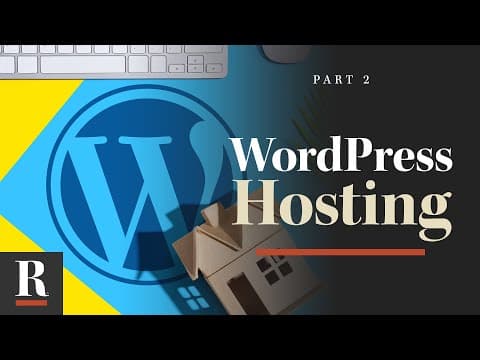
Setting Up Your Host [WordPress Basics: Part 2]
One of the biggest advantages of WordPress is the fact that it’s “self-hosted.” In this video, we’ll cover the pros/cons and how to get up and running quickly with your own WordPress host. WP Engine: https://rightly.tv/wpesave Get the full series: https://rightly.tv/wpseries #WordPress » RESOURCES My FREE Training: https://rightly.tv/training Create a Free Account: https://rightly.co Channel Subscribe: https://rightly.tv Productivity Web App: https://radar.ist Live Broadcasts: https://rightly.tv/live Podcast: https://rightly.show Tools I Use: https://rightly.co/resources » CONNECT Twitter: https://twitter.com/ThomasEMcGee Twitter: https://rightly.co/twitter Facebook: https://rightly.co/facebook Instagram: https://instagram.com/ThomasMcGee Instagram: https://rightly.co/instagram
Watch
November 18, 2020 · Video
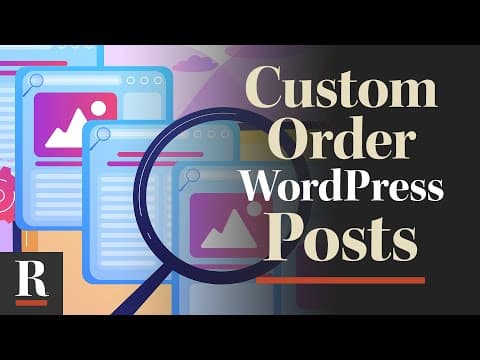
How to Custom Order WordPress Posts (with Drag and Drop)
WordPress is an amazing tool for creating content. But what if you want to customize the order in which posts show up (without messing with the publication date)? In this video, we’ll show you how (for free). #WordPress #Plugins » RESOURCES My FREE Training: https://rightly.tv/training Create a Free Account: https://rightly.co Channel Subscribe: https://rightly.tv Productivity Web App: https://radar.ist Live Broadcasts: https://rightly.tv/live Podcast: https://rightly.show Tools I Use: https://rightly.co/resources » CONNECT Twitter: https://twitter.com/ThomasEMcGee Twitter: https://rightly.co/twitter Facebook: https://rightly.co/facebook Instagram: https://instagram.com/ThomasMcGee Instagram: https://rightly.co/instagram
Watch